No speaker at the house party? Use every phone in the room
The speaker is flat, or nobody brought one. Several phones spread around a room fill it better than one phone at full volume. Here is the setup that works.
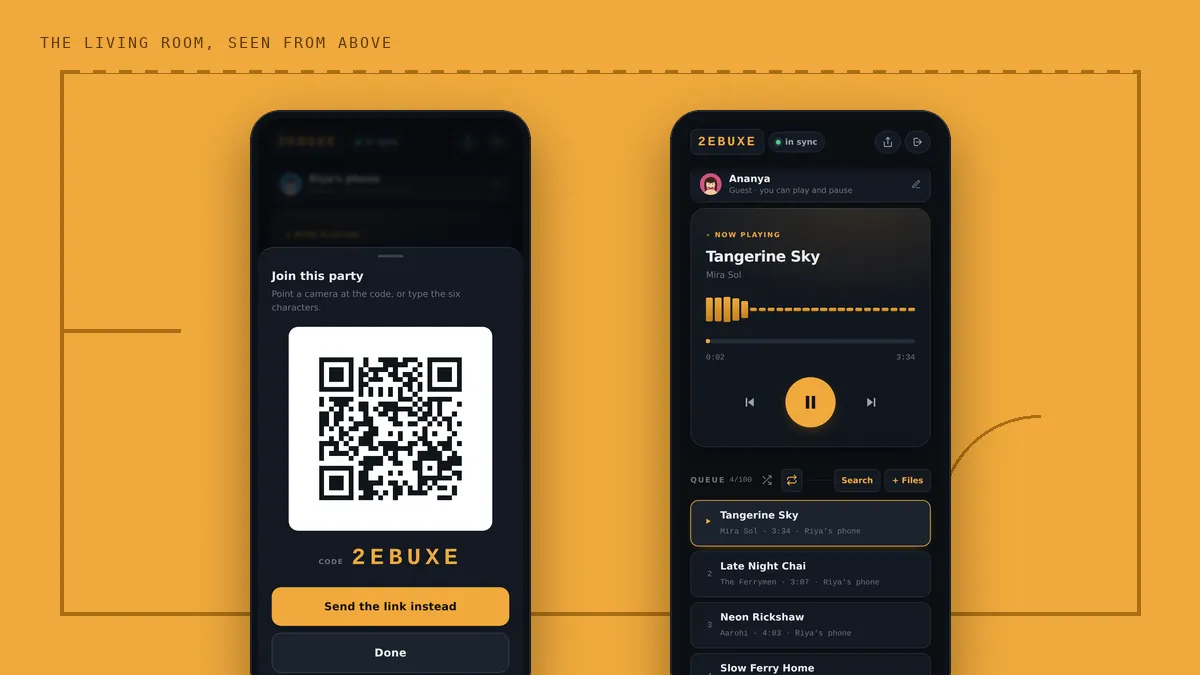
The speaker is flat. Or it is at somebody else’s place. Or nobody owns one, which is more common than anyone admits. So a phone goes on the table, somebody turns it all the way up, and for the rest of the evening the music is a thin, crackly sound coming from one corner that nobody can quite hear.
The room is not short of speakers, though. Everybody who walked in has one in their pocket. This guide shows you how to use them together, and how to set them up so the room sounds full rather than loud in one spot.
Why one phone at full volume sounds so bad
A phone speaker is a few millimetres across. Pushed to the top of its range it starts to distort, which is the harsh, rattly edge you hear on every loud phone. And because all the sound comes from one small point, people near it get too much and people across the room get too little. Everybody drifts towards the phone or gives up on the music.
Several phones fix both problems at once. Each one can play at a comfortable level where it still sounds clean, and because the sound comes from all around the room, nobody is far from a source. The catch has always been timing: two phones even a fifth of a second apart sound like an echo. That is the part BeatBuddies takes care of, so every phone plays the same moment of the same song.
The setup, in about five minutes
1. One person starts the party
The host opens the app or beatbuddies.online/app and taps Start a party. They need an account, and new accounts get three days free. Nobody else does.
2. Leave the QR on the table
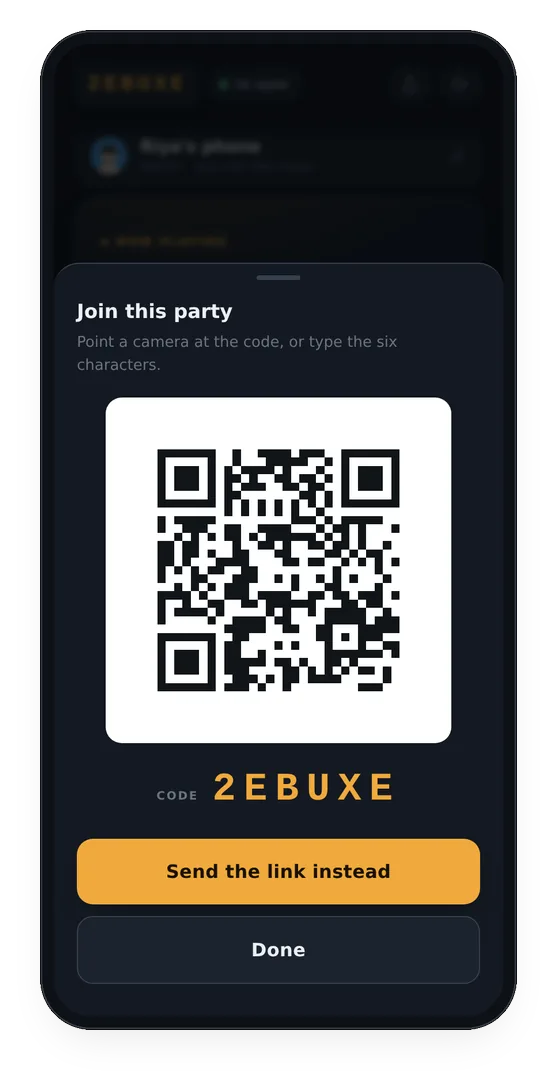
Tap the party code at the top of the host’s screen and a large QR appears. Put that phone somewhere everyone passes, like the snack table. People who arrive later scan it with their camera and they are in, already on the beat of whatever is playing.
If people are still on their way, tap Send the link instead and drop it in the group chat.
3. Put the phones where the people are
This is the part that makes the biggest difference, and it costs nothing.
- Spread them out. Put one near each group of people rather than lining them all up on one shelf. Phones bunched together sound like one louder phone. Phones around the room sound like the room.
- Hard surfaces, speaker end clear. A shelf, a windowsill or a table. A sofa cushion or a bed soaks up most of the sound.
- Near a wall helps. A phone standing against a wall or in a corner sounds a little fuller, because the wall throws sound back into the room instead of letting it escape behind.
- An empty glass or bowl makes a phone louder. Stand the phone in it, speaker end down. It works like a small horn. It is an old trick and it still works.
- Keep phones at table height. On the floor the sound gets lost between people’s legs.
4. Set the volume to three quarters, not full
This sounds wrong but it is the single best thing you can do. At full volume every phone distorts a little, and six distorting phones add up to a harsh room. At around three quarters they stay clean, and with several of them playing, the room is still plenty loud.
Who runs the music
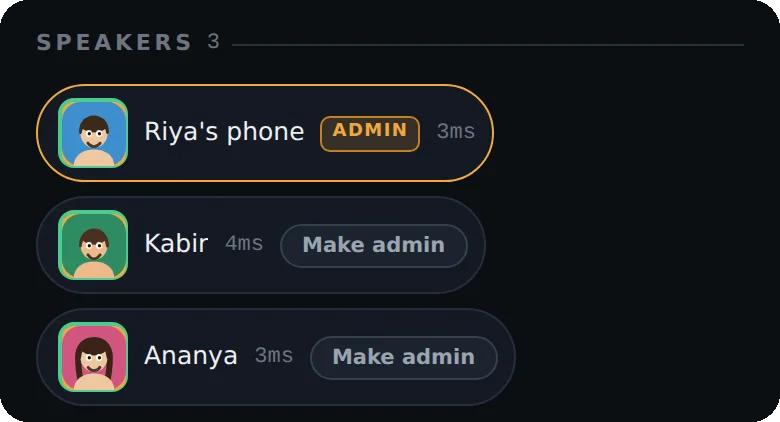
Only the host and admins can add songs, skip, or change the order, which is what stops the queue from turning into a tug of war. If you want a friend to share the job, tap Make admin next to their name in the Speakers list. They can then search, add their own files and rearrange the queue from their own phone.
Everyone can still play and pause by default, which is handy when the doorbell rings. If a guest keeps pausing at the wrong moment, the host can lock play and pause with one tap.
Got one small Bluetooth speaker?
Use it. Connect it to one of the phones and put it somewhere central. A Bluetooth speaker adds its own delay, so that phone may sound slightly late next to the others. Open Sync & settings on that phone, find Nudge this phone, and drag it to the right a little at a time until the beats line up again.
Keeping the evening going
- Charge the host phone. The party lives on the server, not on the host phone, but the host is the one adding songs.
- A dead phone is not a problem. When it comes back, open the app and rejoin with the code. It starts wherever the song has got to.
- Parties last up to three hours. The app warns you when the end is close. Start a new party with a new code if the night is still going.
- Bad wifi? Phones can use mobile data instead, and they do not all need to be on the same network. Low data mode in settings keeps the download small.
What phones will not do
Deep bass. A phone speaker is too small to move enough air for the low notes, and six of them cannot either. What you get is a room that sounds filled and clear rather than one tinny corner, which for most house parties is the whole problem solved. If somebody arrives with a proper speaker later, plug it into one of the phones and keep the rest going around it.
Questions people ask
Do my guests need to download an app?
No. Guests can join in any phone browser by scanning the QR code or opening the link. Android users can also use the app from Google Play.
How many phones do I need for a living room?
Three phones already sound much better than one. Four to six, spread around the room, is plenty for an ordinary living room.
Will it sound as good as a real speaker?
It will sound fuller and clearer than one phone, because the sound comes from all around the room. It will not give you deep bass, because phone speakers are too small for that.
Can I add a Bluetooth speaker too?
Yes. Connect it to one of the phones, put it somewhere central, and use Nudge this phone in Sync and settings to line it up with the others, since Bluetooth adds its own delay.
What happens if the host’s phone dies?
The party lives on the server, so the music keeps going on every other phone. When the host comes back, they rejoin with the code and pick up where the song has got to.
More from the blog
 Hostel
Hostel room party music, with no speaker and no fight over the aux
No speaker, bad wifi and a fight over the aux. One shared queue fixes all three.
 Weddings
Sangeet practice: every cousin on the same beat, even at the back of the hall
Phones along the walls, the track on repeat, and the controls with the choreographer.
 Silent disco
A silent disco with phones and headphones
Headphones on, every phone on the same beat, and nothing for the neighbours to hear.